

This guide covers swapping Wrapped Bitcoin (WBTC) to Bitcoin (BTC). The process typically completes in under 30 seconds.
What you’ll need
1
Wallets
- EVM wallet: MetaMask, Coinbase Wallet, or other EVM-compatible wallet with WBTC
- Bitcoin wallet: Optional (you can provide a Bitcoin address manually)
2
Assets
- WBTC tokens on Ethereum or Arbitrum
- Small amount of ETH or ARB for gas fees to approve the transaction
Method 1: With Bitcoin wallet connected (recommended)
This method automatically handles the Bitcoin address for receiving your unwrapped Bitcoin.1
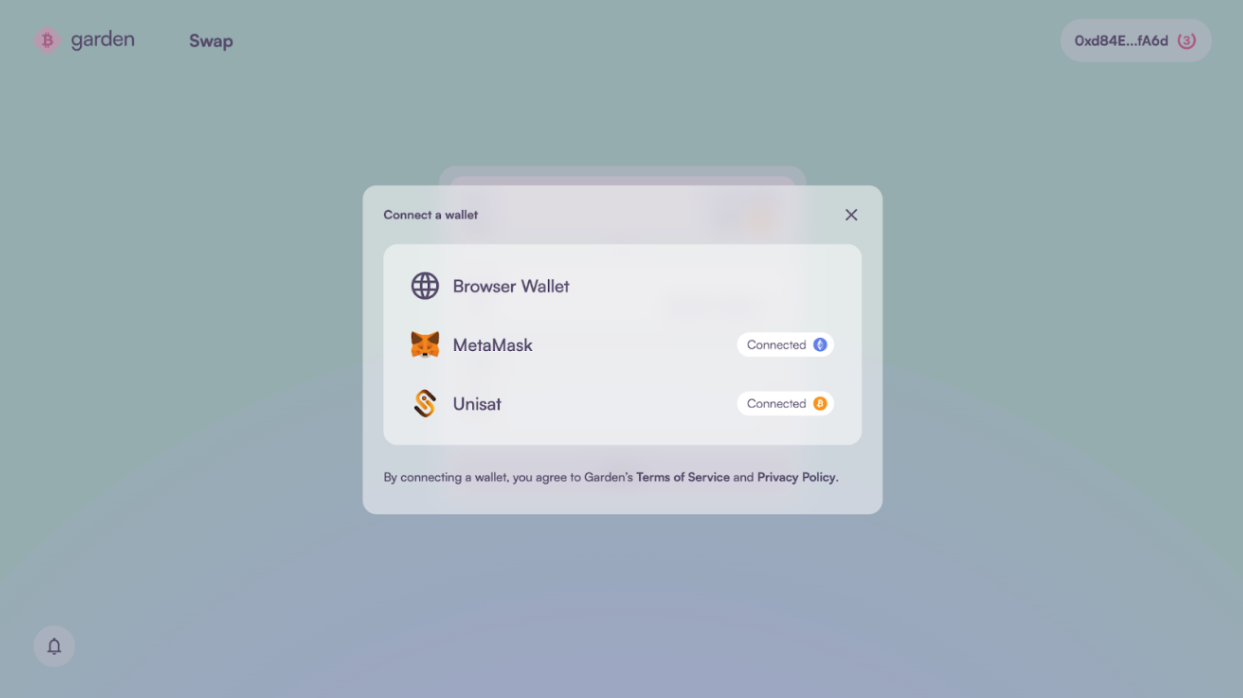
Connect both wallets
- Visit Garden Finance
- Click Connect Wallet and connect your EVM wallet containing WBTC
- Click Connect Bitcoin Wallet and connect your Bitcoin wallet
2
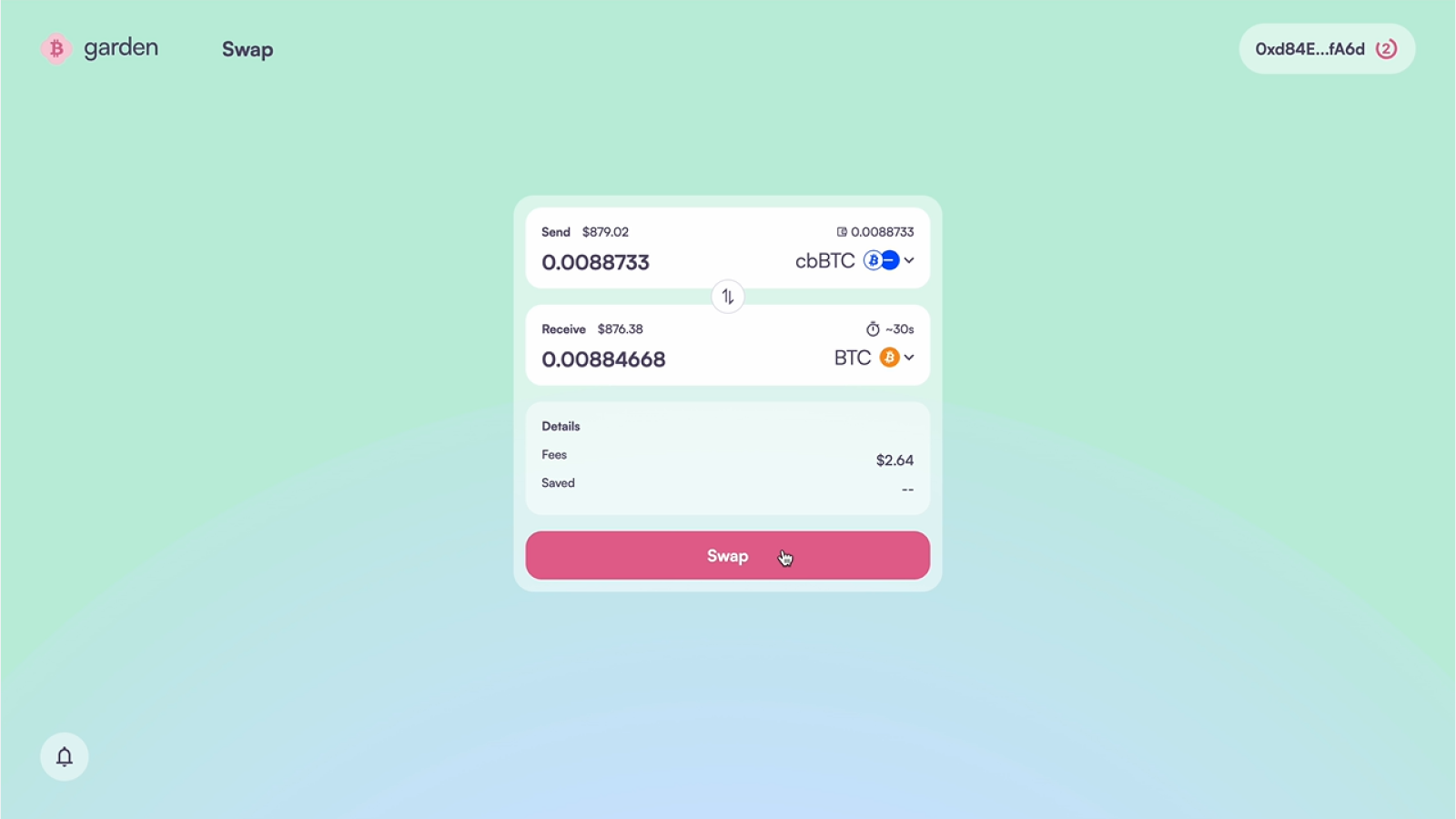
Configure your swap
- In the Send section, select WBTC and choose the network where your WBTC is located:
- Ethereum: If your WBTC is on Ethereum mainnet
- Arbitrum: If your WBTC is on Arbitrum
- In the Receive section, select Bitcoin (BTC)
- Enter the amount of WBTC you want to convert to BTC
3
Review swap details
- Review the conversion details:
- Exchange rate: Current WBTC to BTC rate (should be close to 1:1)
- Network fees: Gas fees for the EVM transaction
- Garden fees: Protocol fees for the swap
- Receiving address: Your connected Bitcoin wallet address
- Click Swap when ready to proceed
4
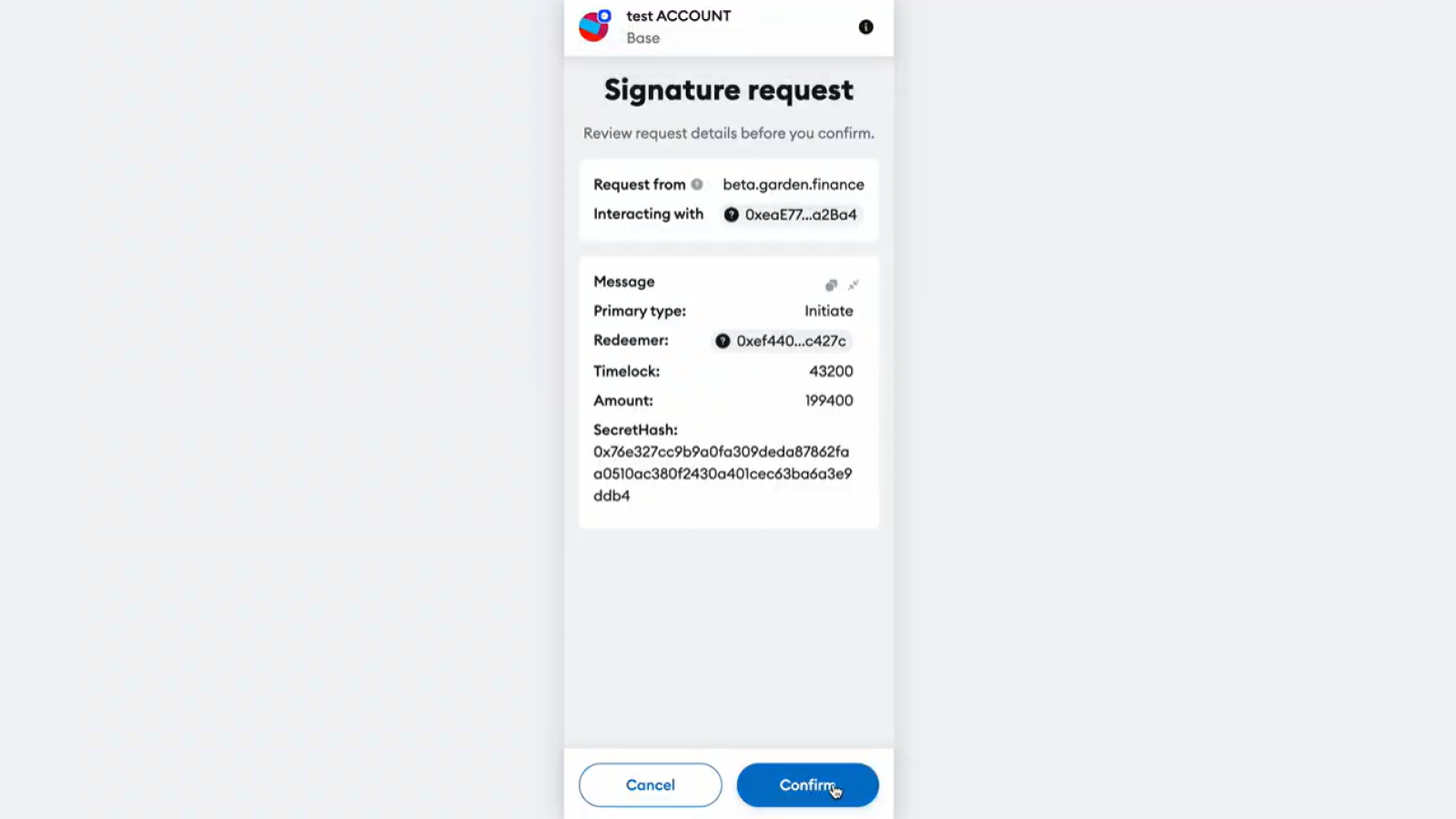
Approve transaction
- Your EVM wallet will prompt you to approve the WBTC transfer
- Confirm the transaction and pay the gas fees
- Wait for the transaction to be confirmed on the blockchain
5
Receive your Bitcoin
Monitor the swap progress. Once complete, you’ll receive native Bitcoin in your connected Bitcoin wallet.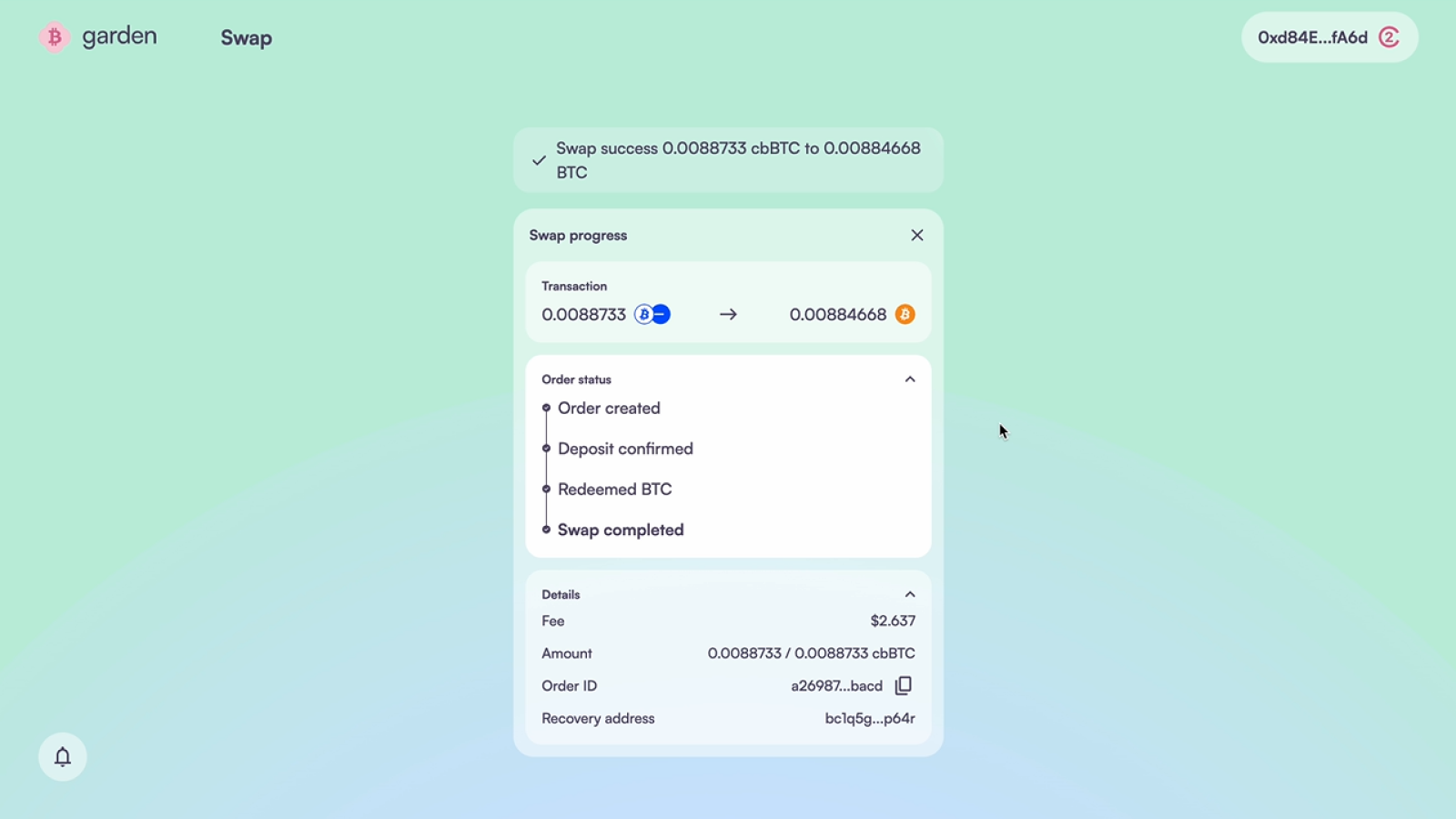
Method 2: Manual Bitcoin address
If you prefer not to connect your Bitcoin wallet, you can provide a Bitcoin address manually.1
Connect EVM wallet only
- Visit Garden Finance
- Connect your EVM wallet containing WBTC
- Skip connecting a Bitcoin wallet
2
Provide Bitcoin address
- In the Receive section, select Bitcoin (BTC)
- Manually enter your Bitcoin receiving address
- Double-check this address - incorrect addresses cannot be recovered
- Ensure the address is from a wallet you control
3
Complete the swap
- Configure the swap amount and review details
- Click Swap and approve the WBTC transaction in your EVM wallet
- Wait for the transaction confirmation and swap completion
Security & safety
Atomic swaps: Garden uses atomic swap technology, meaning the transaction either completes entirely or fails entirely. Your WBTC is never at risk of being lost without receiving Bitcoin.
Network confirmation: Bitcoin transactions require blockchain confirmations. While Garden’s process is fast, final Bitcoin confirmation may take 10-60 minutes depending on network conditions.
Fees and costs
Troubleshooting
Transaction pending
- Check gas fees: Ensure you’ve set adequate gas prices
- Network congestion: Wait for network conditions to improve
- Wallet issues: Try disconnecting and reconnecting wallets
Incorrect amount received
- Slippage: Market prices may change during transaction
- Fees: Final amount reflects deducted fees
- Contact support: Join Discord for assistance if amounts seem incorrect
After your swap
Once you receive your Bitcoin:- Verify receipt: Check that Bitcoin arrived in your specified wallet
- Security: Consider moving Bitcoin to cold storage if not actively trading
Related guides
BTC to WBTC
Want to wrap Bitcoin again? Learn how to convert BTC back to WBTC
Cross-chain WBTC
Move WBTC between different blockchain networks
Need help?
- Questions: Join our Discord community
- Technical support: Reach out for support on Discord